
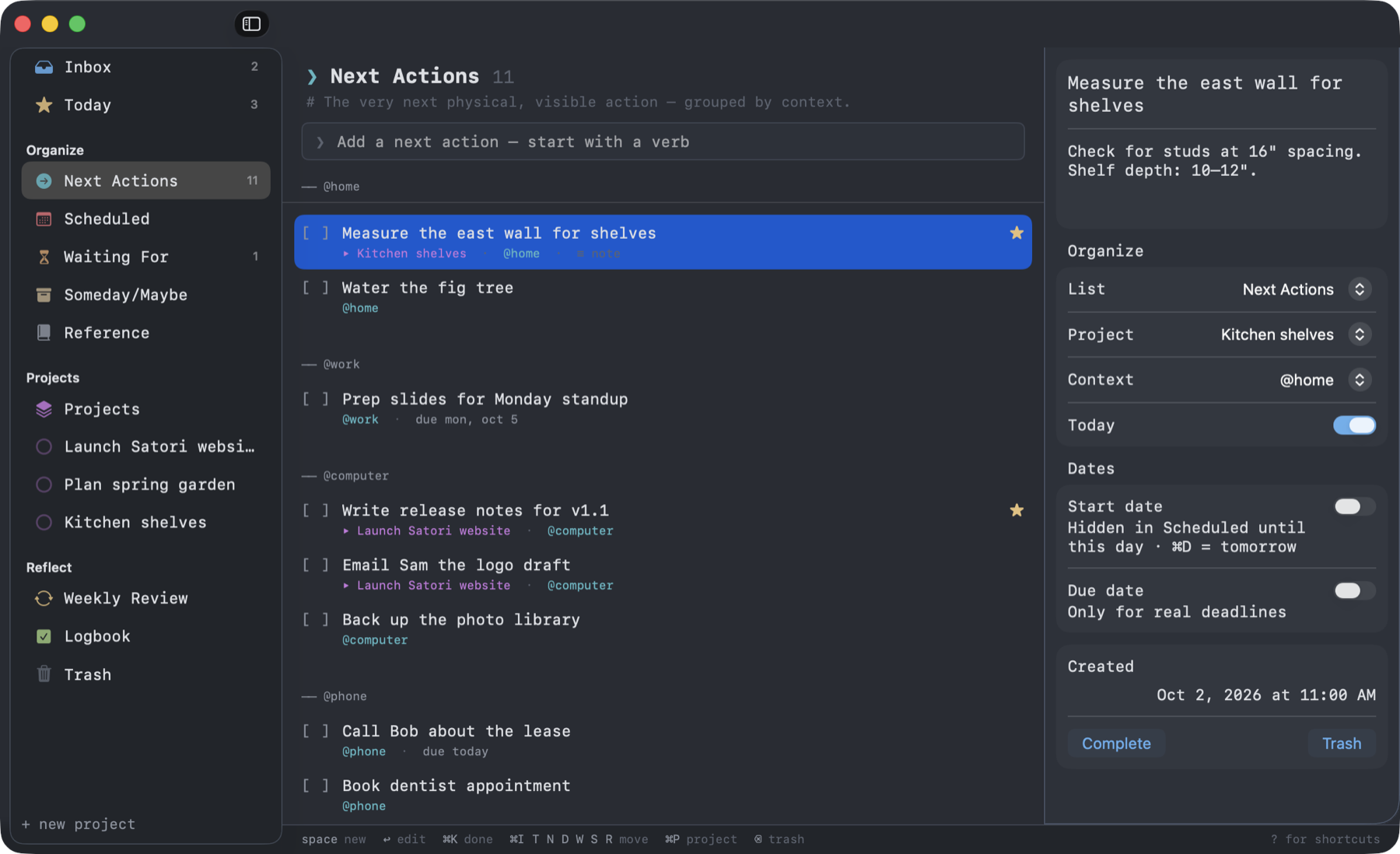
// the whole loop
Built on the five steps of GTD.
Not a to-do list with GTD bolted on. Each of David Allen's steps has a home, and Satori walks you through them.
Capture
Type into any list, or press ⌃⌥Space from any app.
Clarify
Process Inbox asks Allen's questions, one item at a time. Every answer has a key.
Organize
Next actions by context, plus projects, Waiting For, Someday/Maybe and Scheduled.
Reflect
A guided weekly review that flags any project without a next action.
Engage
Today shows what's starred or due. Next Actions shows what you can do where you are.
// the method
What is Getting Things Done?
Getting Things Done (GTD) is David Allen's productivity method. Its premise: your mind is for having ideas, not holding them. Get every commitment into a system you trust, and you can focus on what's in front of you. The key ideas:
- Capture everything
- Anything on your mind goes into one inbox right away. Decide what it means later.
- Next actions
- For each item, name the very next physical step: "Call Bob about the lease", not "Lease".
- Contexts
- Group actions by where you can do them (@phone, @computer, @errands), so you only see what's possible right now. More on contexts.
- The two-minute rule
- If it takes less than two minutes, do it now. Tracking it would take longer.
- Projects
- Any outcome that takes more than one step. Every active project needs a next action.
- Waiting For, Someday/Maybe and the tickler
- Delegated items, ideas for later and things for a future date each get their own list, out of sight until they matter.
- The weekly review
- Once a week, empty your inbox, check every list and look ahead. It keeps the system trustworthy. How to do one.
- Mind like water
- Allen's phrase for the calm of knowing nothing is slipping through the cracks.
// features
Small on purpose. Nothing missing.
Repeating to-dos
Daily, weekdays, weekly, monthly or yearly. Complete one and the next appears.
Due-date reminders
A notification on the morning something is due.
Find anything
Search every title and note, then jump straight to it.
Undo
Completed or trashed the wrong thing? Just undo it.
Private by design
No account, no tracking, no servers. Your tasks are one JSON file you own.
Free & open source
Native SwiftUI, under 10 MB, MIT licensed. Pull requests welcome.
// hands on the keys
One rule to learn.
⌘ + a list's first letter moves the selected to-do there. Add ⌥ to go there instead. A status line shows the keys that work right now, and ? opens a cheat sheet.
- SpaceCapture a new to-do. Type @phone to tag its context.
- ↑ ↓Move through to-dos. After a move, the next one is selected.
- ← →Jump between the sidebar and the list.
- ↩Edit the selected to-do. Esc takes you back.
- ⌘KComplete it.
- ⌘+ ⌘−Make all the text bigger or smaller.
- [ ]Renew passport@errands
- [ ]Draft launch post▸ Launch website★
// faq
Questions
Is Satori free?
Yes. It's free and open source (MIT), with no subscription, account or in-app purchases.
What is Getting Things Done (GTD)?
A productivity method by David Allen: capture everything, clarify it, organize it, review it weekly, then do the next action with confidence. Satori is built around those five steps.
How is Satori different from Things, OmniFocus or Todoist?
Those are polished, full-featured apps, mostly paid or subscription-based. Satori is small, free, strictly GTD and runs entirely from the keyboard. Your tasks are one plain JSON file you own.
Is my data private?
Yes. There are no accounts, no tracking and no Satori servers. Your tasks are one plain JSON file on your Mac.
Which Macs does it run on?
Any Mac with macOS 14 Sonoma or later. The app runs natively on both Apple silicon and Intel.
Is Satori affiliated with David Allen?
No. Getting Things Done and GTD are trademarks of the David Allen Company. Satori is an independent app inspired by the method.
// install
Up and running in a minute.
- Download Satori.zip, unzip it, and drag Satori.app to Applications.
- Open it. The first time, macOS can't verify the developer: go to System Settings → Privacy & Security and click Open Anyway. You only do this once.
- Press Space and start capturing.
Needs macOS 14 or later. Runs natively on Apple silicon and Intel Macs.
# or install with Homebrew
$ brew install --cask emcee5000/tap/satori

# or build from source (needs Xcode Command Line Tools)
$ git clone https://github.com/emcee5000/satori.git
$ cd satori
$ ./scripts/build-app.sh --install